
Press or Say - AI Voice Recognition for IVR Menus
Callers can press a key or speak their choice. Each delivered speech-enabled Gather is billed - including silent or keypad-only responses and retries.
Enabling the feature
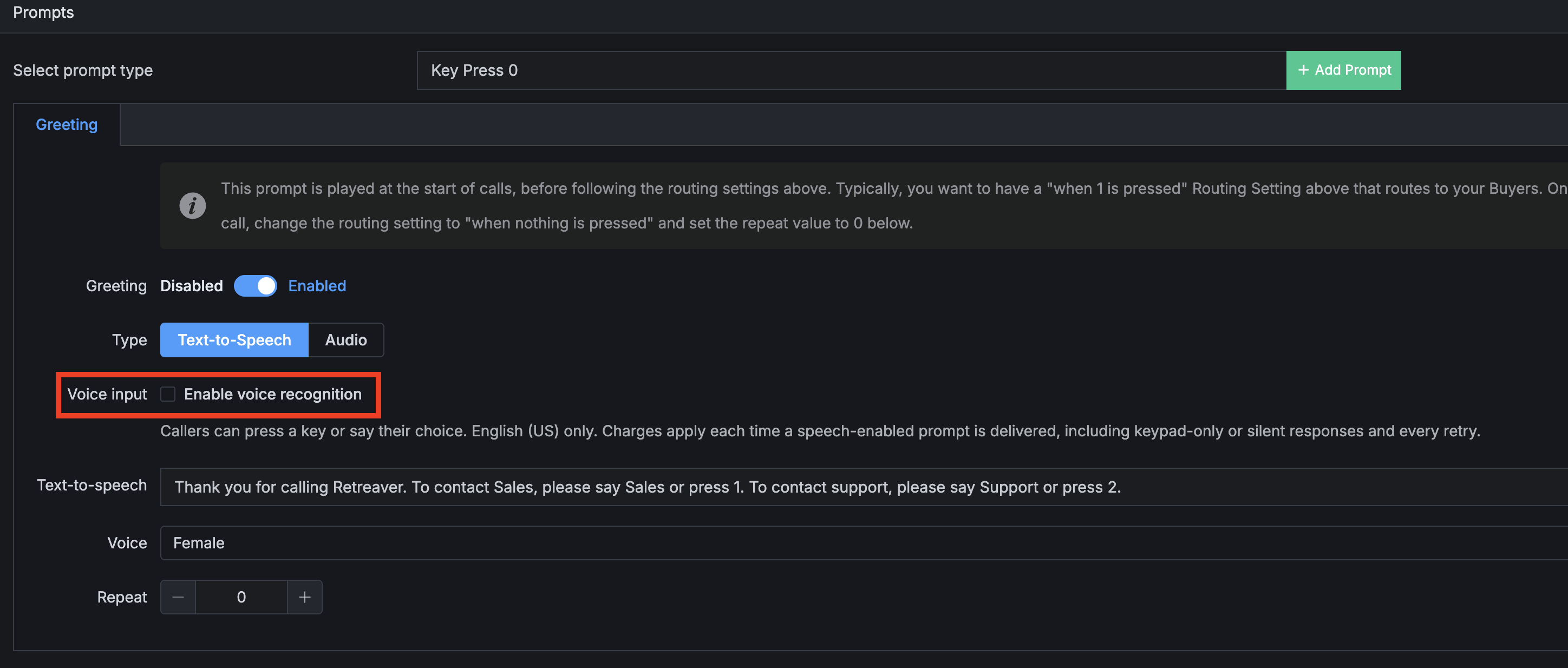
- Open the prompt (Greeting, zip, tag question, etc.).
- Check Enable voice recognition. It works with TTS and Audio files that are at most 55 seconds long.
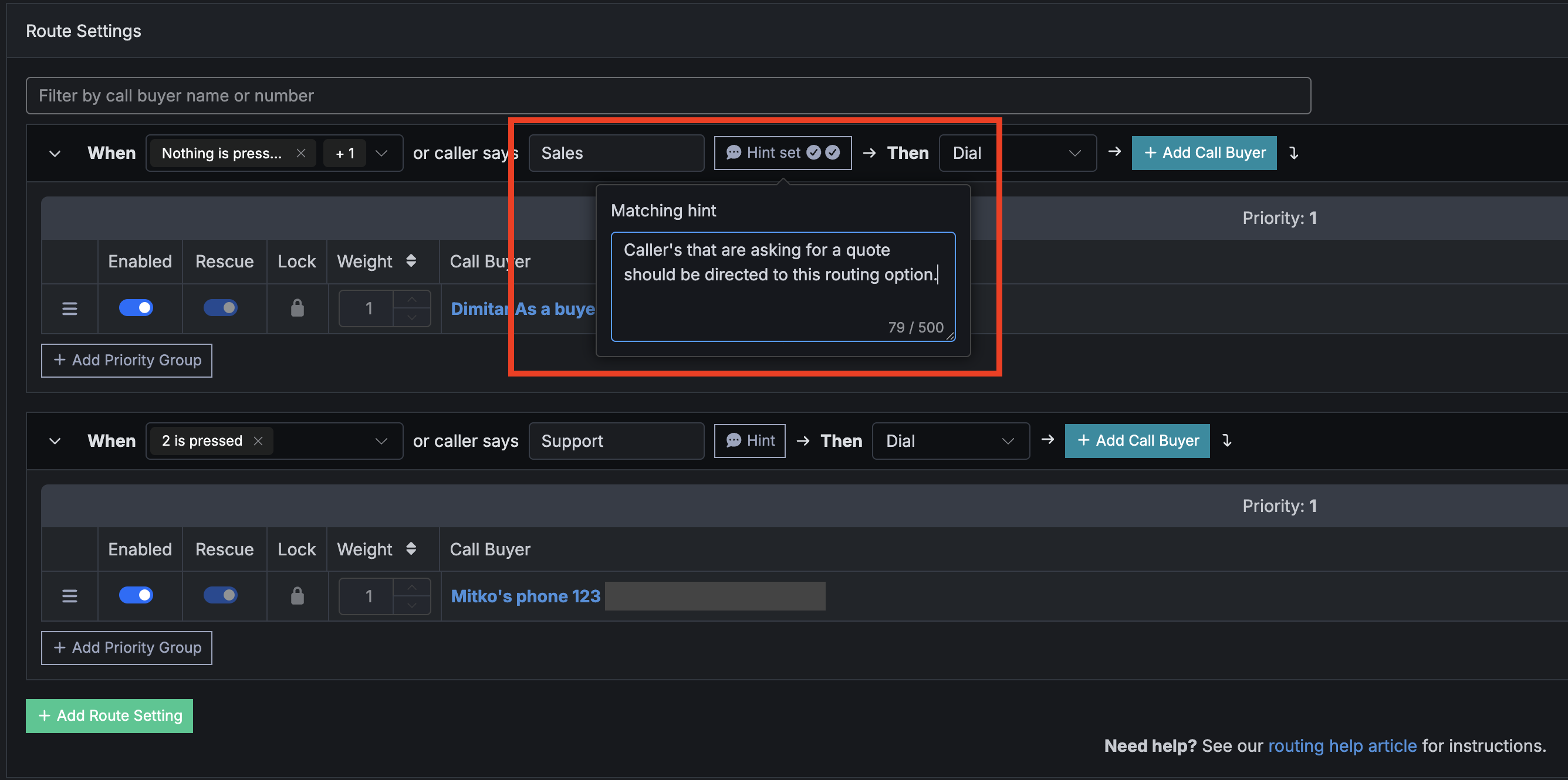
- Set up the routing options depending on what topic is extracted from the caller’s response:
Verifying it works
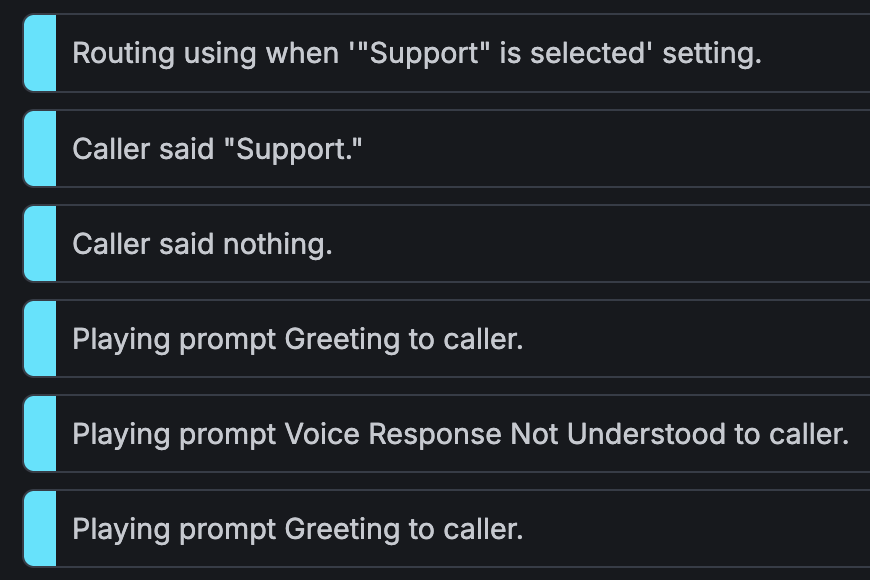
You will see logs in your call quoting the caller’s response and how the call was routed based on that response:
Constraints that matter (read before flipping it on)
Billing
Each speach-enabled Gather is charged per successfully delivered attempt.
Undelivered gathers aren’t billed. Charges show up with your other call-related line items (memo: IVR Voice Recognition).
Contact your sales representitive for an exact quote.
Help us improve this article or request new support guides.
On this page