
Business Hours
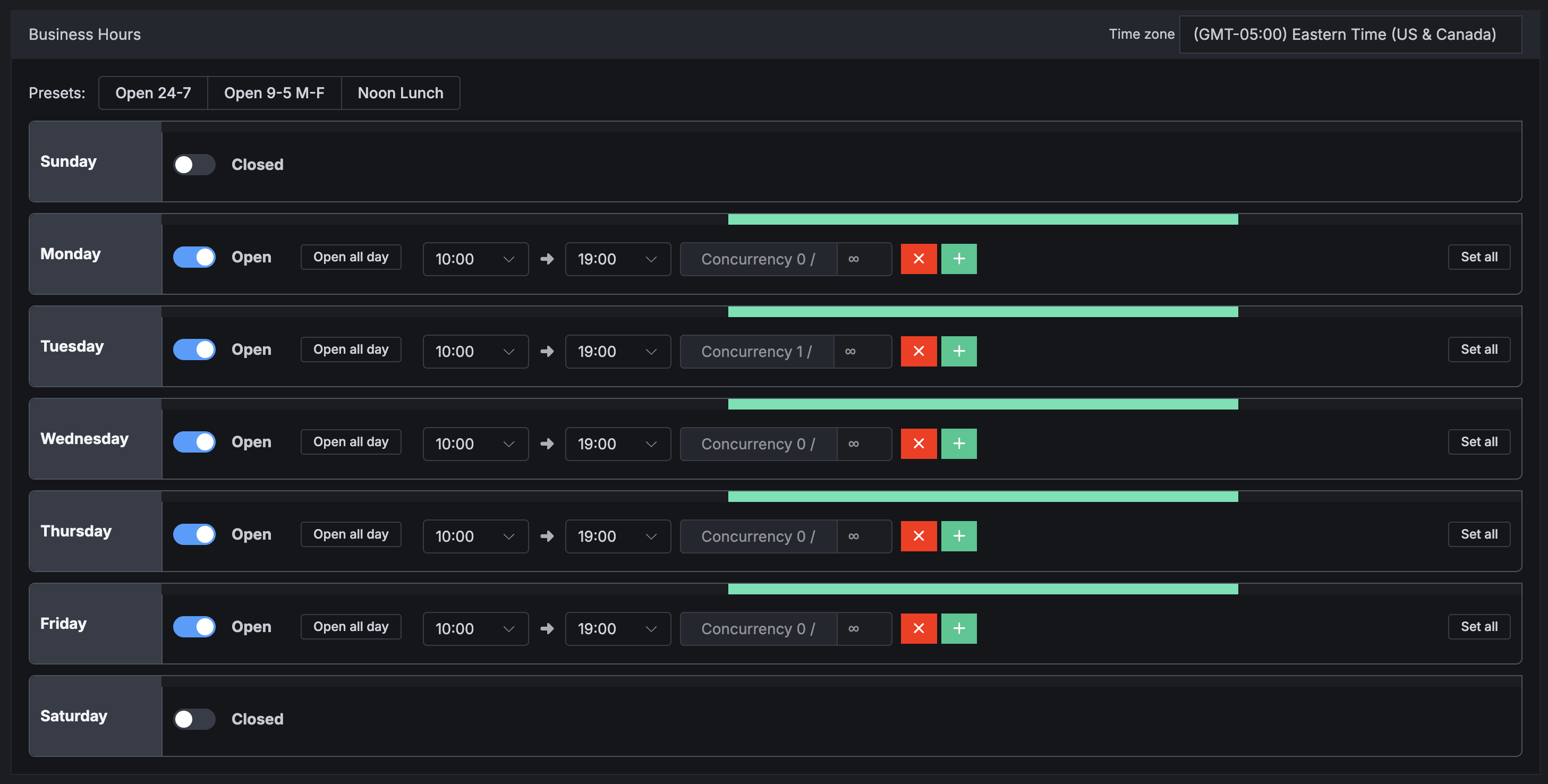
Business Hours on Buyers allow you to set open and close times, for example to set working hours or closing on holiday - without having to pause a buyer.
There are also some more advanced features such as setting caps (both hard cap or concurrency caps) on specific blocks of hours.
Business Hours Overview
The new buyer business hours interface allows users with the ability to choose from one of three presets:
- The Open 24-7 will keep the buyer open every day, 24 hours a day.
- The Open 9-5 Monday - Friday will automatically configure the buyer to be open during regular business hours of Monday to Friday
9:00 amto5:00 pm. - The Noon Lunch configuration will keep the Monday to Friday Hours however, it will add a lunch break in between.
The hours of operation are manually configurable by clicking on the desired hour field and either typing or selecting the hours from the drop-down menu.
Click the (+) button to within each day to create multiple time blocks.
Note
You can type “9am” or “5pm” and Retreaver will automatically convert the hours in the field to standard 24-hour military time.
User Interface Breakdown:
| Setting | Description |
|---|---|
| Timezone | Set the desired Timezone. |
| Open/Closed | Buyer will be Open or Closed on the selected day. |
| Open All Day | Buyer will be open for a full 24 hours. |
| Digit Input Fields | Type or select the hours of operation. |
| Plus Icon | In cases where the buyer has agents on lunch or break, click the + icon and the hours of operation post lunch. |
| Set All | Replicate the setting configuration for all days. Set all will not affect days when Buyer is closed. |
Business Hour Caps
You can set caps on specific hours using the Business Hour feature, only on the Numbers page:
- Caps on individual blocks of hours during a day
- Concurrency Caps (this feature on Business Hours must be enabled by the support staff)
See our full guide for more information:
How to set up granule number caps using the Business Hours feature
Help us improve this article or request new support guides.