
Redesigned Call Page
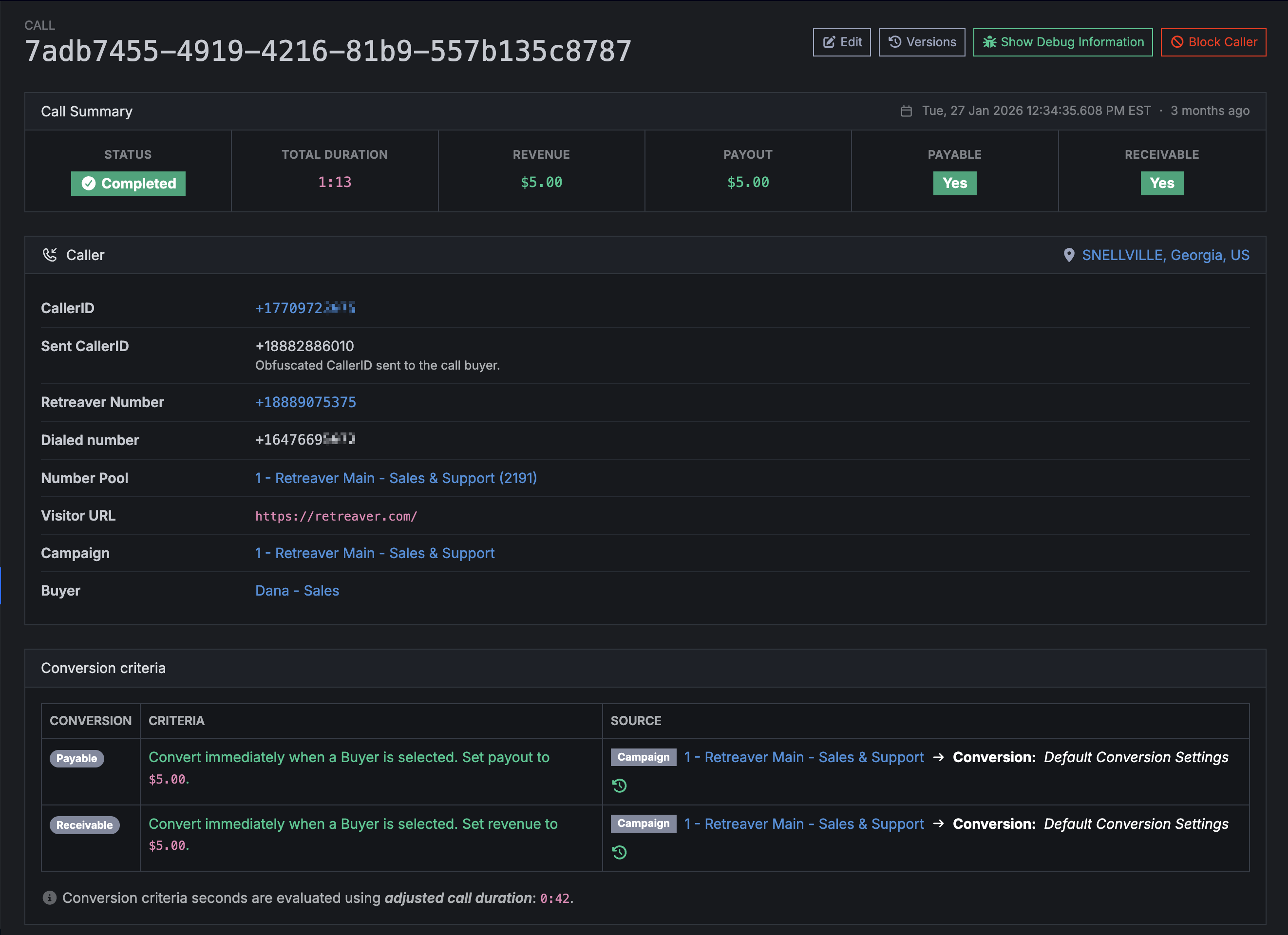
Retreaver has redesigned the call detail page!
Overview of changes
Call Summary
The most important information for your call is now display prominently at the top n the “Call Summary” section.

- Call status (for example: completed vs in progress)
- Total duration
- Revenue / Payout
- Payable / Receivable
Caller section
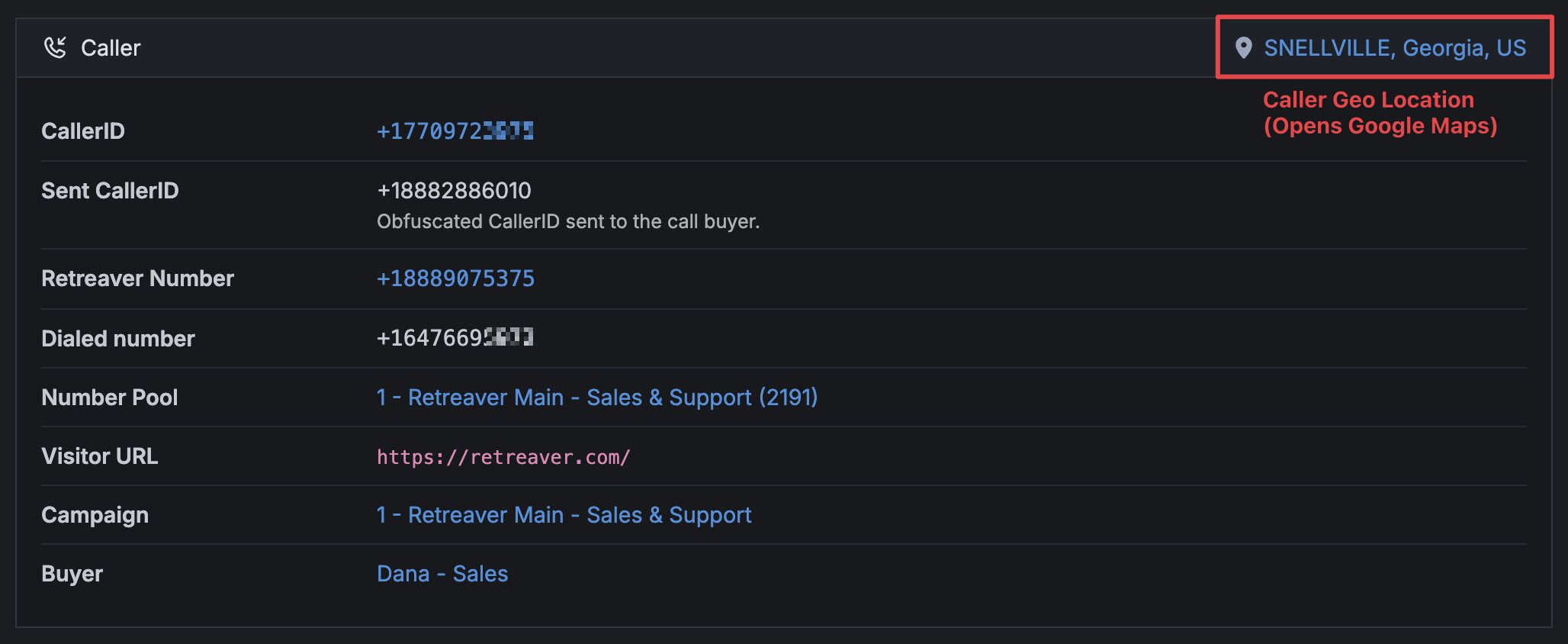
This is where all information about the caller (phone number, location, etc) and where they were routed to will be shown (Campaign, Publisher, Buyer).
You can now click on the location which will open the location on Google Maps.
Conversion Criteria
The conversion criteria section has been improved in a new table.
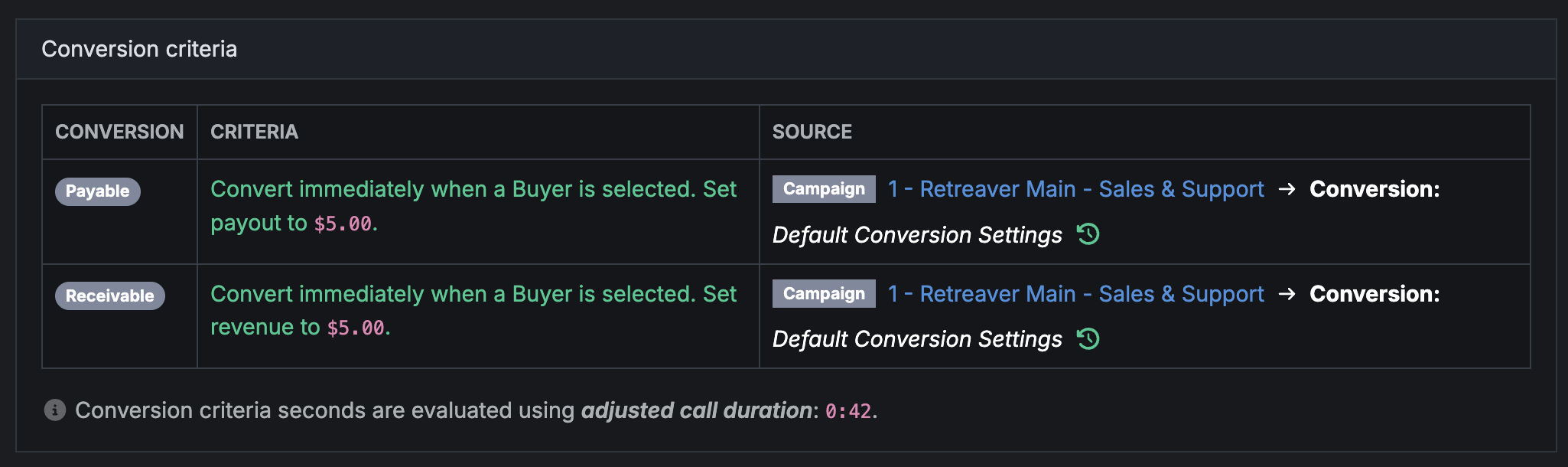
We have bigger plans for this section in the coming months to make it easier to connect the source of your conversions with payout/recievable, so stay tuned.
Call Times Visualization
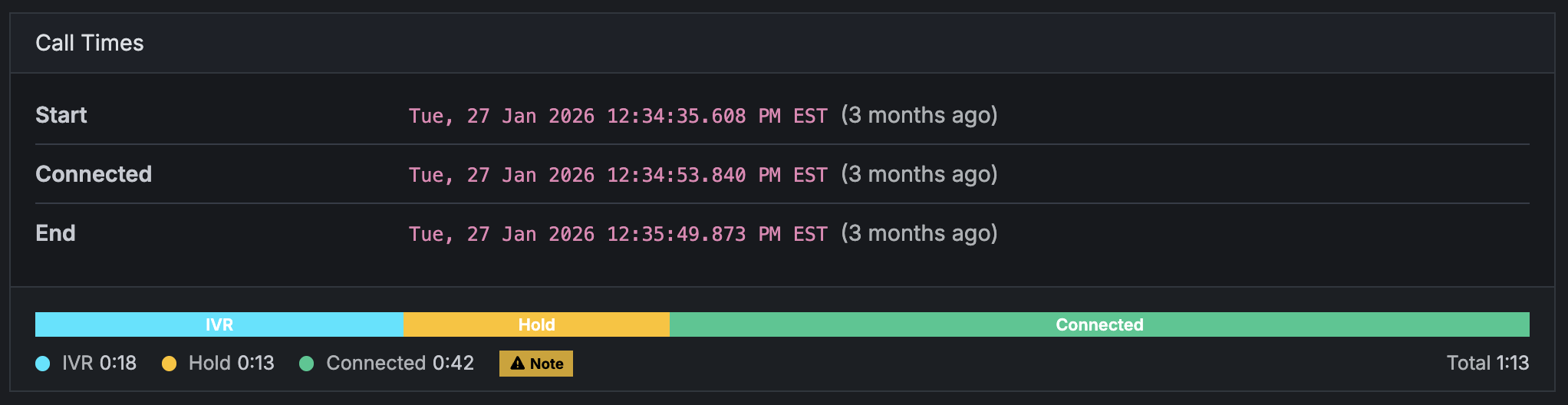
A new visualization of the Call Times showing IVR/prompts, on hold, in waiting room, or connected with a buyer. You’ll also find the specific start and end times of a call here.
Voice Recordings

Voice recordings of a call are available as always in this section. Note: The recording may take some time to show up if a call is not yet completed.
Call Data
The call data section is where you’ll find which webhooks fired, transcriptions, and call tags.
Tags
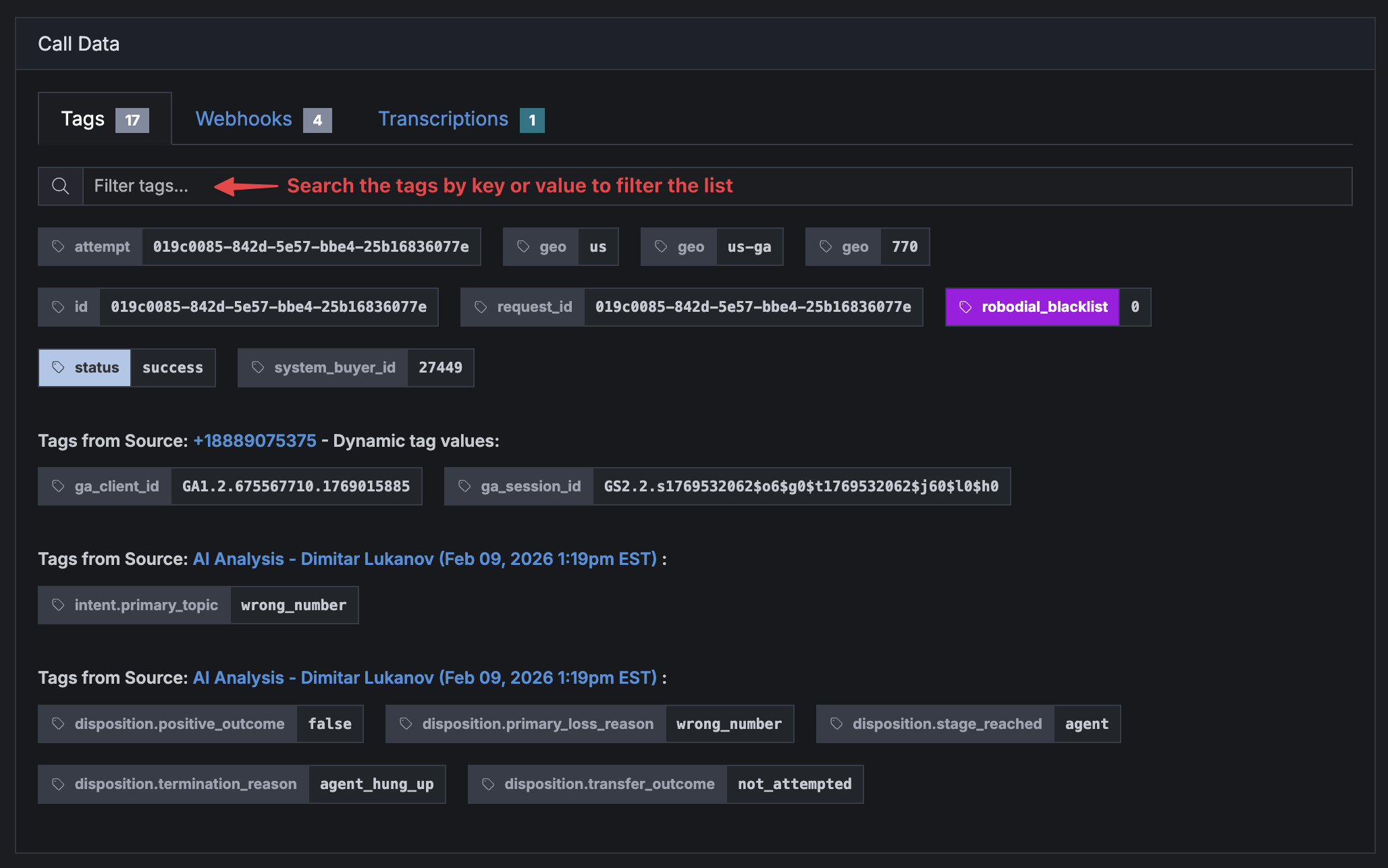
The tags applied to a call are visible in this section.
There is a new search box letting you filter the tags by key or value, making it easier to view long lists of tags.
Webhooks
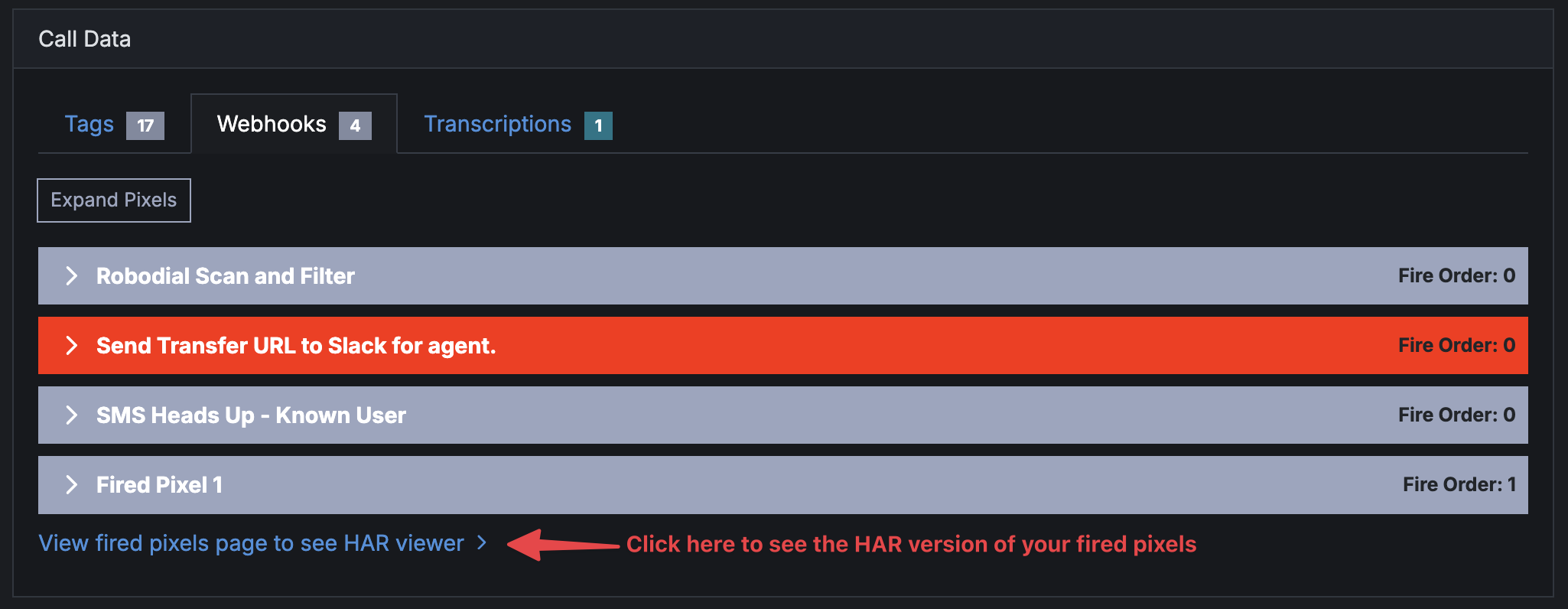
The call fired pixels now have their own section on the Call detail page under the “Webhooks” tab. You no longer have to open a separate page to see which webhooks fired during the call.
You can view the full fired pixels page and HAR viewer by clicking the link at the bottom of this tab.
Transcriptions
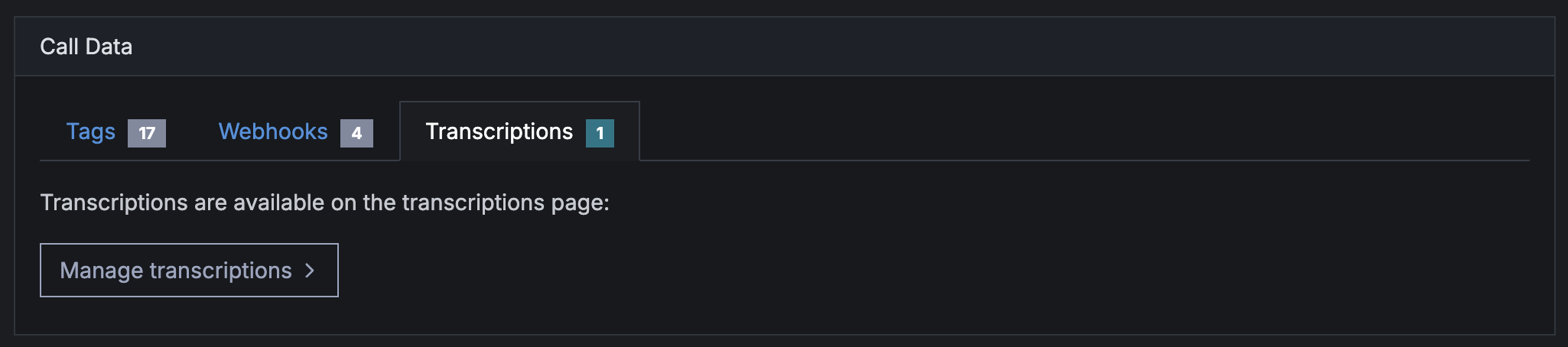
Call transcriptions will also show up in the Call Data page. We plan to list transcriptions directly on the Call detail page, but for now you can click the link in this section to create and view transcriptions.
AI Analysis
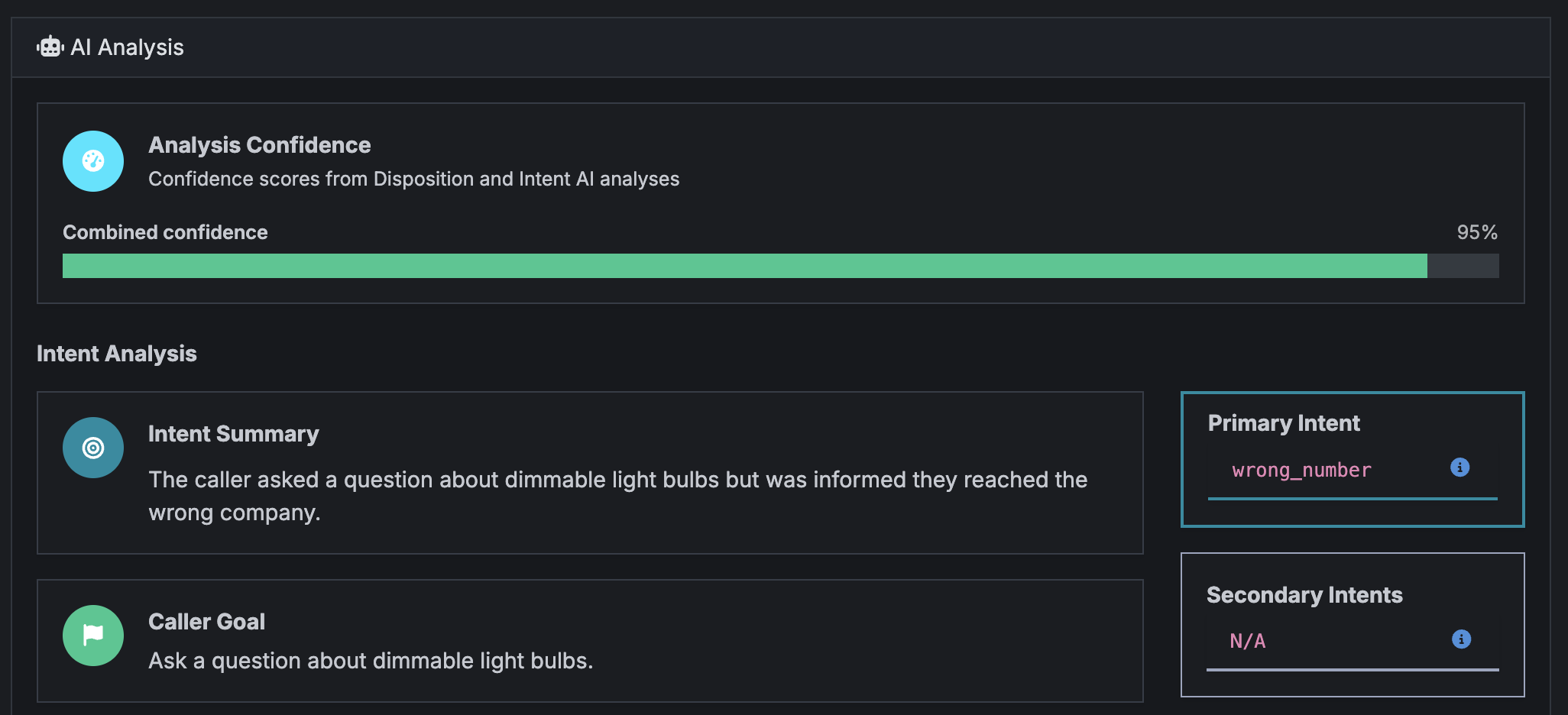
The AI analyst section will show here if you have it turned on for a call (no changes).
Call Collaborators

Collaborators who are part of a call will be listed here.
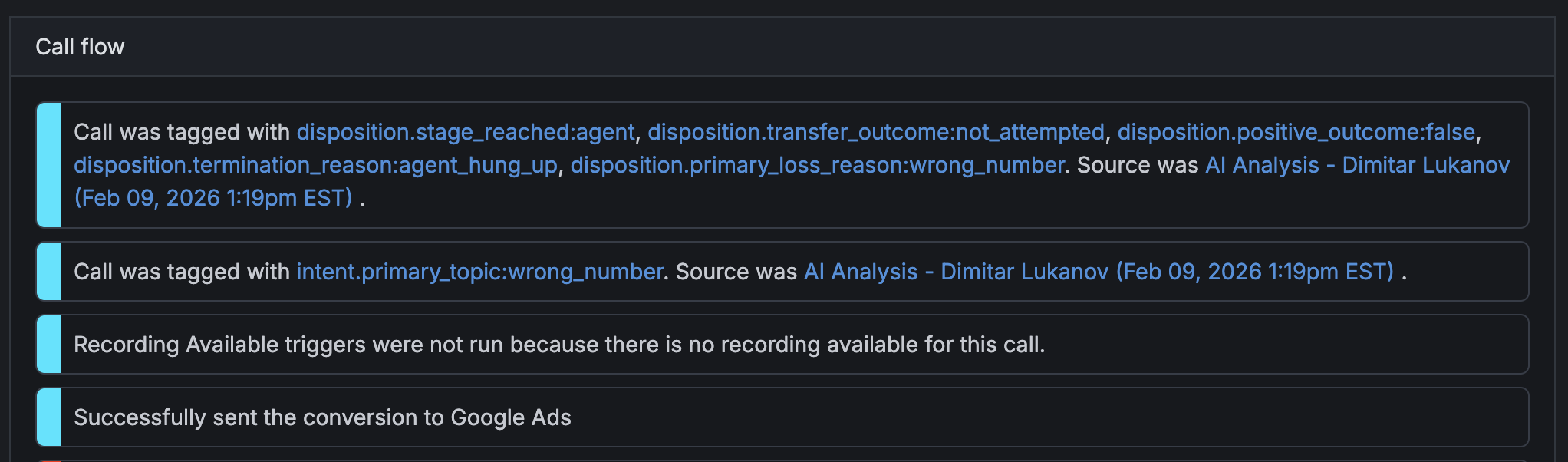
Call Flow
As always the call flow is visibleat the bottom of the Call page, giving you a more thorough timeline of the events that happened during a call.
Feedback
If you have any thoughts on how we can improve this further feel free to contact us.
Help us improve this article or request new support guides.
Previous
Send RTB calls to a SIP without username and password
Next
Allow RTB requests without `caller_number` on a postback key (part 2)