
Auto-Setup Call Buyer from Webhook Response
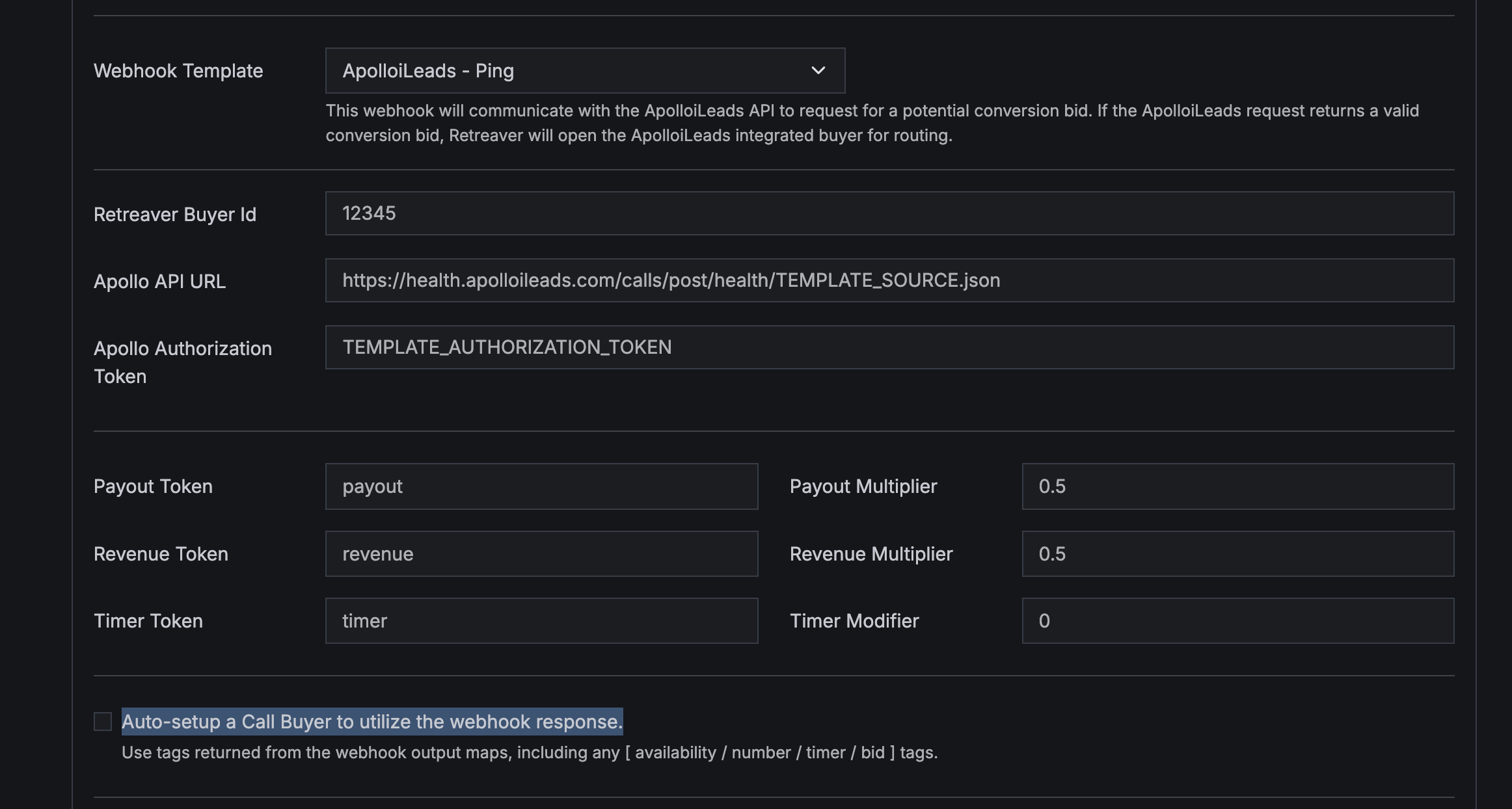
Auto-Setup Call Buyer from Webhook Response
Introducing the Auto-Setup Call Endpoint feature – a powerful new capability within the Webhook Configurator.
How It Works
Swipe horizontally to view full table
| Step | Action |
|---|---|
| 1 | Select an existing Call Buyer from the dropdown |
| 2 | System reads response tags from webhook output |
| 3 | Automatically configures buyer number, timers, and filters |
When enabled on applicable webhook templates:
- Select a Buyer Profile: Choose an existing Call Buyer from the dropdown
- Template Auto-Configuration: The system reads response tags from the webhook output
- Dynamic Buyer Setup: Automatically configures dynamic buyer number, conversion timer overrides, revenue overrides, and tag filter lists
Requirements
- Buyer profile must already exist in your account
- Works with “simple form” webhook templates that have tag output maps
- Webhook must return appropriate response tags (availability, number, timer, bid tags, etc.)
Use Cases
- RTB Integration: Automatically configure buyers based on RTB responses
- External Systems: Let external systems dynamically control buyer settings
- Real-Time Adjustments: Update buyer configurations based on current conditions
Getting Started
Navigate to Campaigns > Webhooks and enable the “Auto-Setup Call Endpoint” toggle on compatible webhook templates.
Help us improve this article or request new support guides.
On this page