
AI Analyst Release
AI Analyst Release
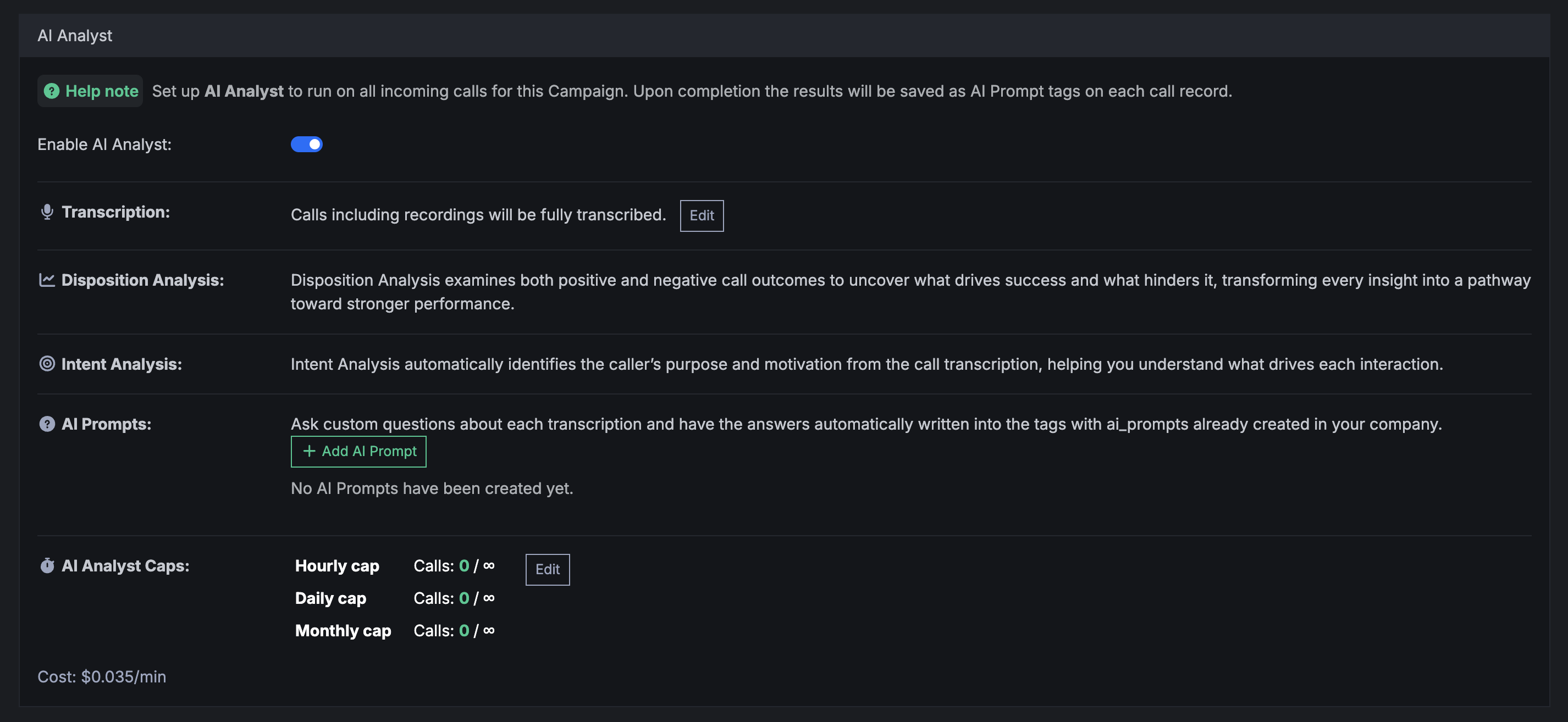
We’re excited to announce the release of AI Analyst – a powerful new feature that brings AI-powered call analysis to Retreaver.
Key Features
Swipe horizontally to view full table
| Feature | Description |
|---|---|
| Transcript Analysis | Analyze entire calls or specific segments (first X minutes, last X minutes) |
| Disposition Analysis | Automatically determine call outcomes and classify by result type |
| Intent Analysis | Understand caller intent and motivation for better segmentation |
| Custom AI Questions | Create custom questions mapped directly to tags |
| Usage Caps | Configure hourly, daily, or monthly caps for AI analysis |
Transcript Analysis
- Analyze entire calls or specific segments
- Extract key insights from call conversations
- Identify important topics and themes
Disposition Analysis
- Automatically determine call outcomes
- Classify calls by result type (sale, appointment, callback, etc.)
- Track disposition trends over time
Intent Analysis
- Understand caller intent and motivation
- Segment calls by buyer intent signals
- Improve routing based on detected intent
Custom AI Questions
- Create custom questions for AI to answer about each call
- Map AI responses directly to tags
- Use AI-generated tags for routing, reporting, and automation
Getting Started
AI Analyst is available now in your Retreaver account. Navigate to Campaigns > AI Analyst to configure and start analyzing your calls.
Help us improve this article or request new support guides.
Previous
Auto-Setup Call Buyer from Webhook Response
Next
Pipes X Retreaver Pickleball Tournament Apr 7, 2025
On this page