
Download numbers from a Caller List
Why this matters
Your caller lists are some of the most consequential routing data you own. A “suppressed” list keeps calls away from numbers that should never reach you, and an “accepted” list — your book of business — makes sure your best clients land exactly where they should. When that list is wrong, calls go to the wrong place, and that is expensive.
Because a book of business changes constantly, you need to manage it from your own systems, not by hand in a dashboard. That means three things have to be true: the list is accurate, it is synced with the system of record on your side, and the key doing the syncing has exactly the right permissions — no more, no less.
A quick note for the times we live in: yes, people now want their LLM to manage their book of business for them. We do not recommend handing your book of business to a language model. We also can’t really stop you. So if you must — be careful, scope the permissions tightly, and check what it did.
What’s new
You can now list the numbers on a caller list over the API. Previously you could add a number, remove a number, and check whether a single number was on a list — but there was no way to pull the whole list back out. Now there is.
For most integrations the day-to-day flow is unchanged and is still the right one:
- Add numbers as clients come on board
- Delete numbers as they leave
- Check a single number when you need to know if it’s on the list
Listing the full list is the exception, not the rule — reach for it when you genuinely need it, such as reconciling your copy of a list against ours or exporting it for an audit. If you find yourself indexing the whole list on every call, you probably want check instead.
Targets and Campaigns
A caller list can live on either a Target or a Campaign, and the API is identical for both — just swap targets/:target_id for campaigns/:campaign_id. A Target list and a Campaign list are independent, even when they share the same name.
List the numbers on a Target’s list:
curl 'https://api.retreaver.com/api/v2/targets/:target_id/caller_lists/:name/caller_list_numbers.json?key=:postback_key_uuid&page=1&per_page=100' \
-H "Authorization: Bearer :postback_key_secret_key"List the numbers on a Campaign’s list:
curl 'https://api.retreaver.com/api/v2/campaigns/:campaign_id/caller_lists/:name/caller_list_numbers.json?key=:postback_key_uuid&page=1&per_page=100' \
-H "Authorization: Bearer :postback_key_secret_key"The response is a plain list of numbers (newest first), and the page information comes back in the Total, Per-Page and Link headers — the same paginated style as the rest of the API:
[
  { "caller_list_number": { "number": "+12025550100", "created_at": "2026-06-10T12:00:00.000Z" } },
  { "caller_list_number": { "number": "+12025550101", "created_at": "2026-06-10T12:00:01.000Z" } }
]Export an entire list: request the first page, then keep following the Link header’s rel="next" until it’s no longer there. That walks every page from newest to oldest and gives you the whole list.
# First page
curl -i 'https://api.retreaver.com/api/v2/targets/:target_id/caller_lists/:name/caller_list_numbers.json?key=:postback_key_uuid&per_page=100' \
    -H "Authorization: Bearer :postback_key_secret_key"

# Then follow the URL from: Link: <...&page=2>; rel="next"Prefer to grab it by hand?
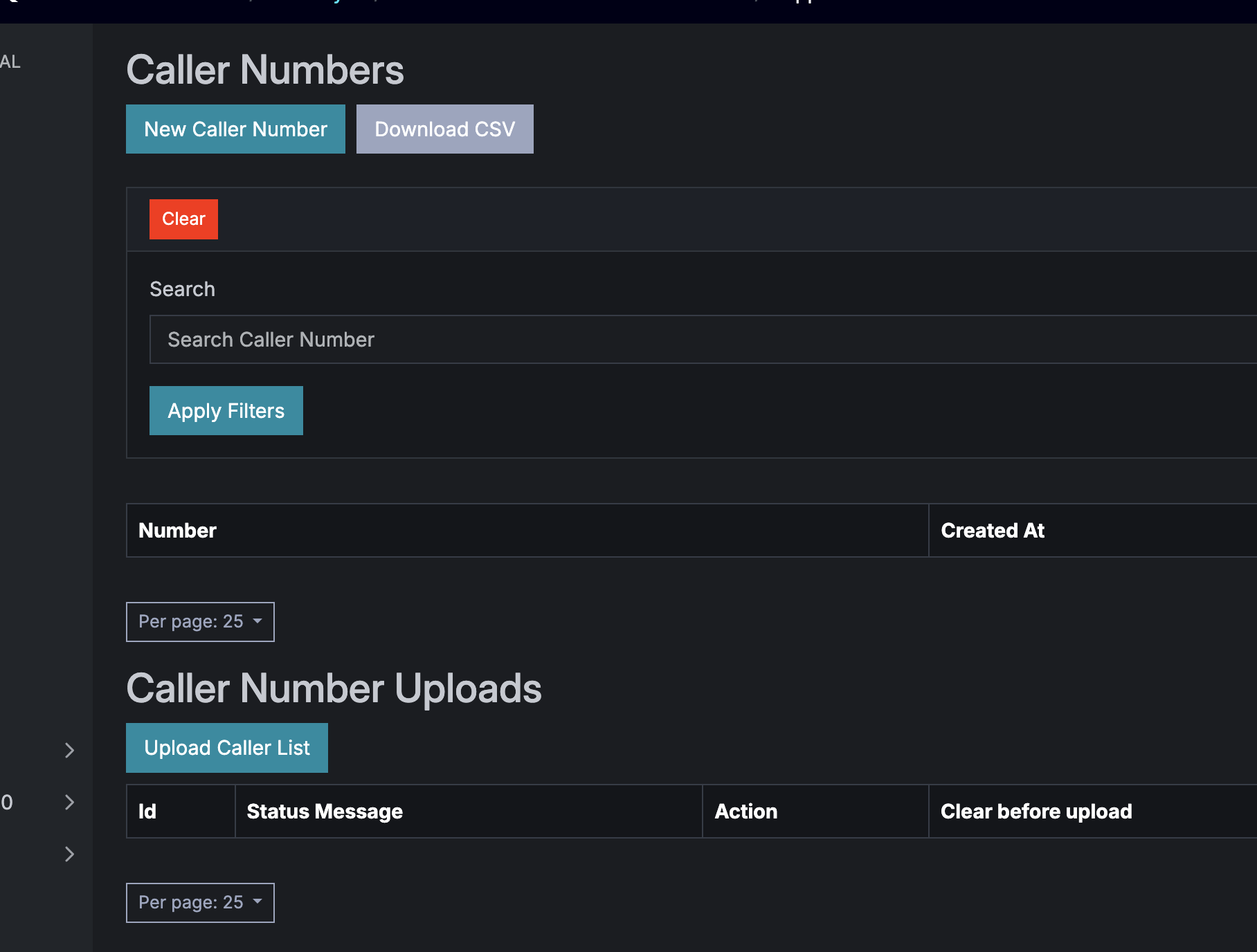
You don’t always need the API. On the caller list’s page in the dashboard there’s a Download CSV button that exports every number on the list as a CSV file — handy for a one-off export, a quick audit, or handing the list to someone who just wants a spreadsheet. The button respects whatever search filter you’ve applied, so you can export the whole list or just the numbers you’ve narrowed down to.
Permissions
This is gated by its own permission, so granting it is a deliberate choice. The Caller List Management key needs:
caller_list_number__index— to list the numbers, pluscaller_list__show— which every caller list action requires.
A key without these gets a 403 Forbidden. Grant the listing permission only to the keys that genuinely need to read a whole list back, and keep your add/delete/check integrations on the narrower permissions they already use.
Help us improve this article or request new support guides.
Previous
See your live calls: "In Progress" comes to the Call Dashboard
Next
"Who hung up?" - Now visible to collaborators (when you want it to be)