
Set Default Tag Values for Buyer Webhooks
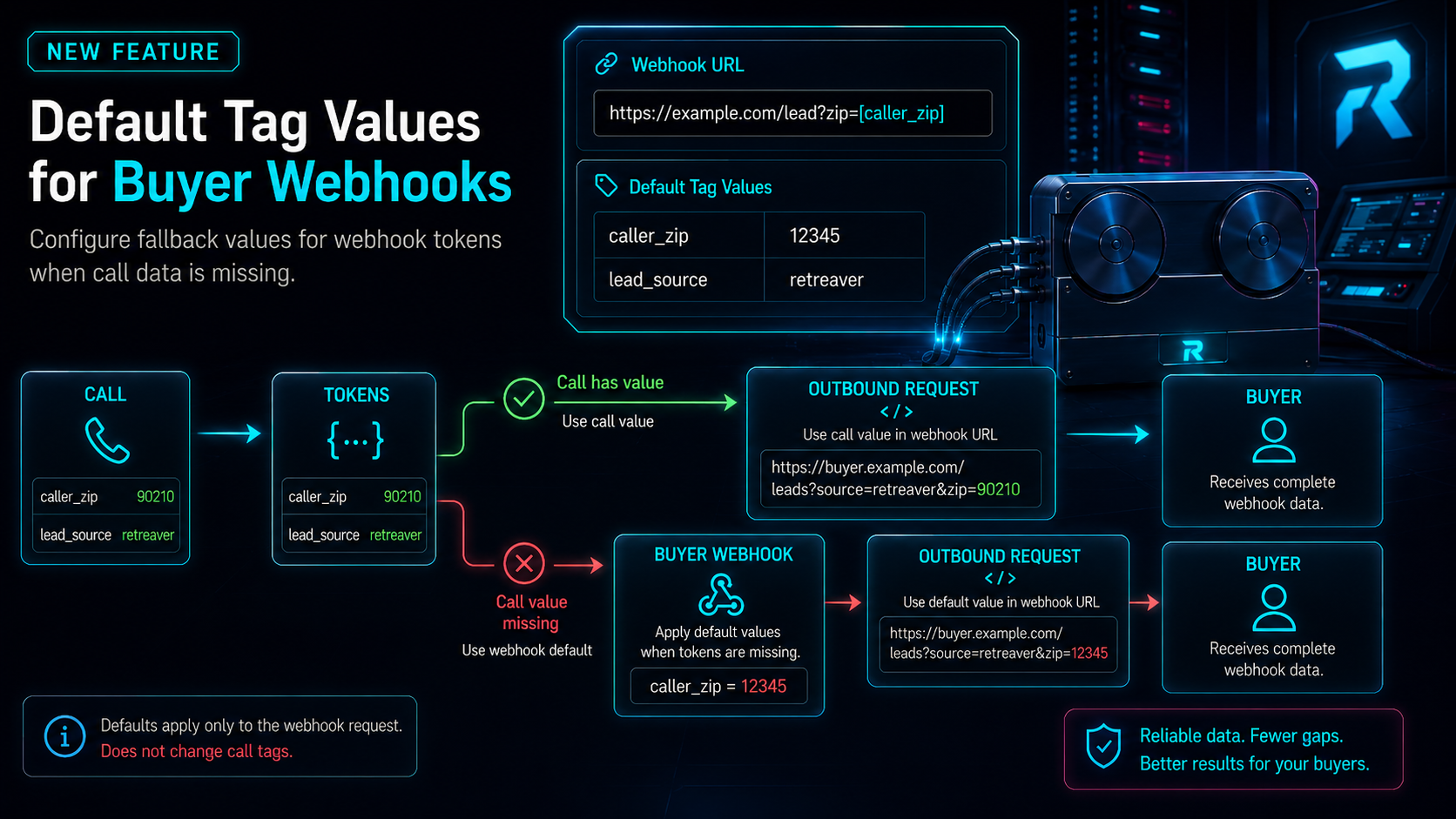
Buyer webhooks can now provide default values for replacement tokens. When a call does not contain a value required by a webhook URL, Retreaver can use the default configured on that webhook.
Default values are applied only when building outbound webhook requests. They are never added to the call itself.
Why this matters
Webhook URLs often rely on call data represented by replacement tokens:
https://example.com/lead?zip=[caller_zip]Previously, if the call did not have a value for caller_zip, the resulting URL contained an empty value:
https://example.com/lead?zip=Default tag values let each buyer webhook provide its own fallback without changing the call’s tags. This is useful when different buyers require different fallback values for the same field.
What’s new
Buyer webhooks now include a Default Tag Values field.
You can use it to:
- Set fallback values for tokens used in the webhook URL.
- Configure different defaults for different buyer webhooks.
- Keep fallback values separate from the call’s actual tag values.
- Test the resulting outbound URL using webhook test fire.
Default values affect only the webhook on which they are configured. A default from one webhook is not shared with another webhook.
Before
Given this webhook URL:
https://example.com/lead?zip=[caller_zip]If caller_zip was missing from the call, Retreaver produced:
https://example.com/lead?zip=Now
Configure the following default on the buyer webhook:
caller_zip: 12345If the call does not contain caller_zip, Retreaver produces:
https://example.com/lead?zip=12345If the call contains its own value, that value takes priority. For example, a call with caller_zip set to 90210 produces:
https://example.com/lead?zip=90210How to use it
- Open the campaign containing the buyer.
- Open the buyer’s webhooks.
- Create a new webhook or edit an existing one.
- Add the required replacement token to the webhook URL.
- Select Default Tag Values.
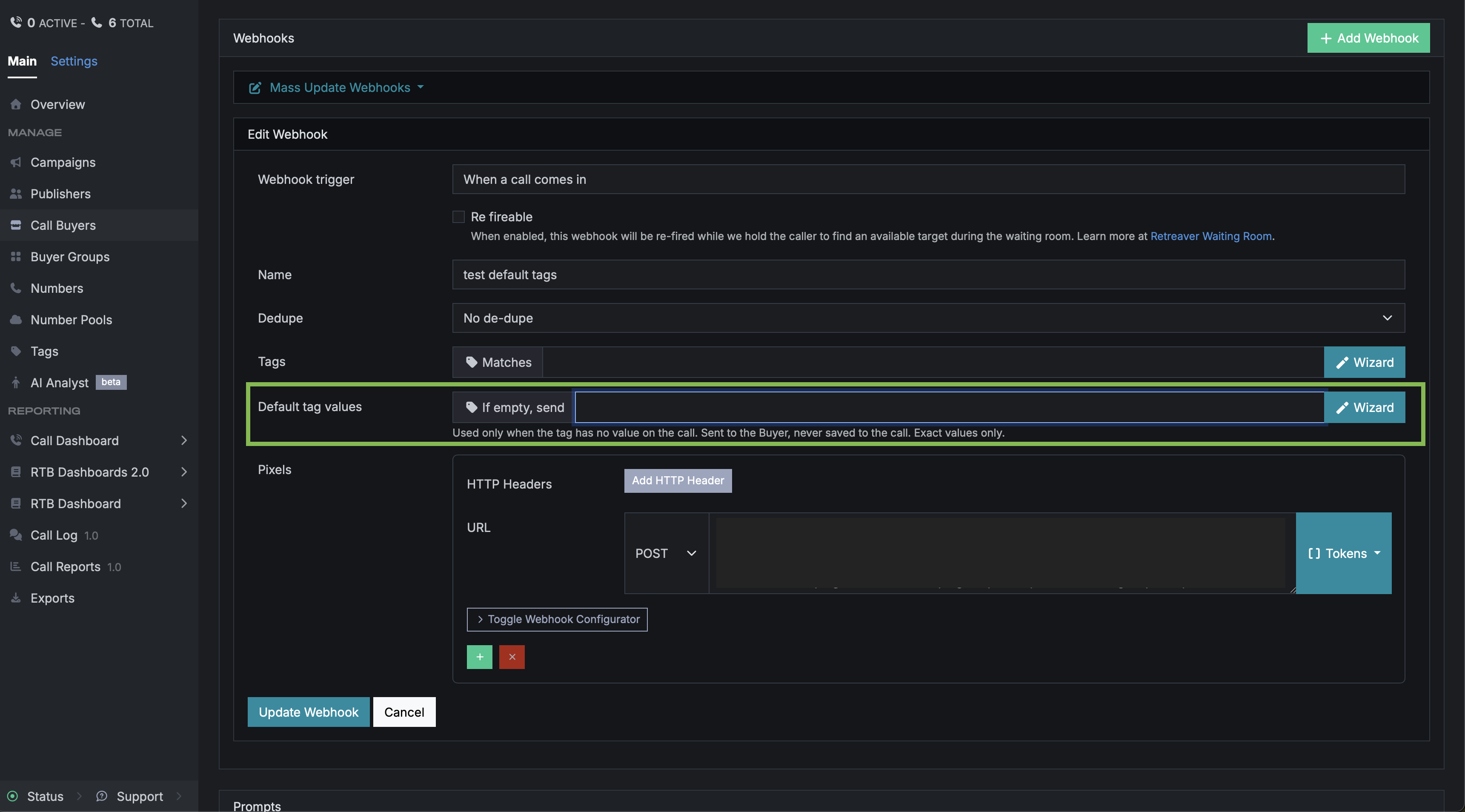
- Use the tag wizard to select a tag key and enter an exact fallback value.
- Save the webhook.
For example, select Caller ZIP in the tag wizard and enter 12345 as its default value. Retreaver will use 12345 only when the call does not provide a Caller ZIP value.
How Retreaver chooses a value
Retreaver resolves each webhook token in this order:
Does the call have a nonblank value?
             │
      ┌──────┴──────┐
      │             │
     Yes            No
      │             │
      ▼             ▼
Use call value   Is a default configured?
                        │
                 ┌──────┴──────┐
                 │             │
                Yes            No
                 │             │
                 ▼             ▼
Use default value Leave blankDefault values are not copied onto the call. They do not affect:
- Call tags
- Webhook matching rules
- Buyer selection
- Routing
- Call-level reporting filters
Example
A buyer requires a lead source in every webhook request.
The webhook URL is:
https://buyer.example.com/leads?source=[lead_source]&zip=[caller_zip]The webhook has these defaults:
lead_source: retreaver
caller_zip: 00000For a call with caller_zip set to 90210 but no lead_source, Retreaver sends:
https://buyer.example.com/leads?source=retreaver&zip=90210The call itself is not tagged with lead_source: retreaver. That value is used only for this outbound webhook.
Another buyer webhook can define a different lead_source without affecting the first webhook or the call.
Notes and caveats
- Existing webhooks continue to behave as before until a default value is configured. Webhooks without defaults still leave unresolved or blank values empty.
- Default tag values are currently available only for buyer-owned webhooks.
- They are not available for campaign, number or company-level webhooks.
- Defaults must be exact values. Comparison operators are not supported.
- You can configure only one default value per tag key.
- Tag key aliases and capitalization are treated as the same key.
- A webhook can have up to 100 default tag values.
- The call’s value always takes priority when it is present.
- Tokens without a call value or configured default remain blank.
Help us improve this article or request new support guides.